Latest micro-posts
You can also also view the full archives of micro-posts. Longer blog posts are available in the Articles section.
/me is listening to “Four Horsemen” by The Clash
Great resources if you’re into Mathematica: Exercises & Solutions from Paul Wellin’s excellent book, Essentials of Programming in Mathematica.
Looking at CRAN packages, it looks like many things are “tidy” (n=127) and most “tiny” ones (n=24) are not dependency-free. I’ll try living with those packages for some time, just to see how it goes:
~ ^Z
» ls .local/lib/R/library
data.table/ renv/       tinyplot/   tinytest/
It is worth emphasizing that tinyplot requires only base R. It has zero recursive dependencies and we have been careful to keep its installation size down to a minimum. tinyplot should thus provide an attractive and lightweight option for package developers (or regular R users!) who would like to produce convenient and sophisticated plots, combined with a minimal footprint. — tinyplot
Things I like nowadays.
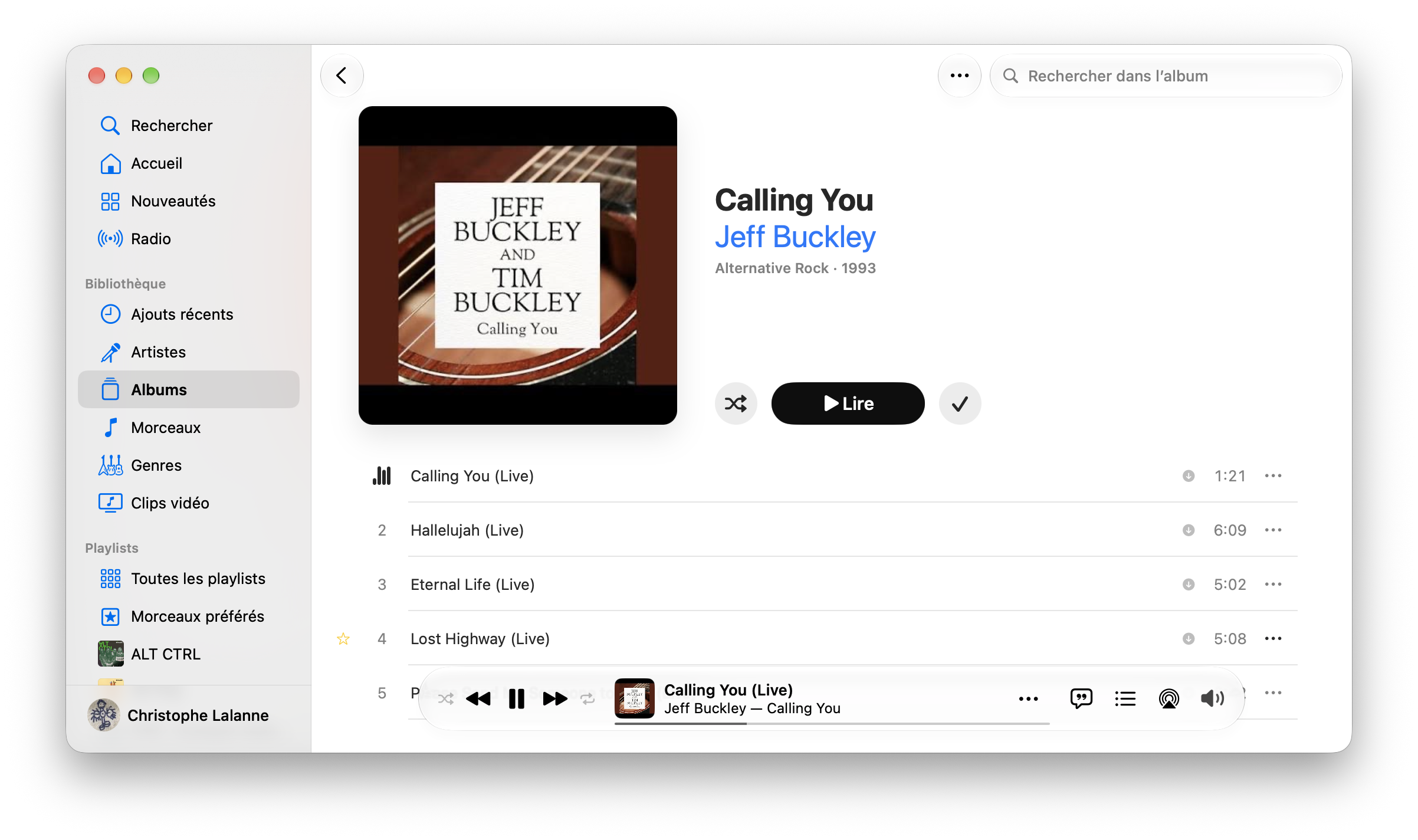
New icon (B&W instead of white on red) and new default color scheme (blue) for Apple Music on macOS 27.2:
Rediscovering this nice blog post, Classical array algebra, by Taliesin Beynoni (former lead developer at Wolfram Research). See also Rainbow array algebra. Funny enough, I used similar depiction for matrices and vectors in an R tutorial several years ago.
/me is listening to “The Passenger” by Iggy Pop
Vista looks like a good replacement for Feh on macOS. And it’s free on the AppStore. #apple